I’ve been having a lot of trouble with loading fusion on that computer recently (the one in the clean room/main area which everyone uses)
It can’t even load my fusion files on it and it is just laggy in general. I hear that it’s because it needs defragging. Can anyone who is good with IT please see to it?
Thanks, I’ll run some diagnostics on it when I’m in tomorrow and see what I can do, it’s well within my wheelhouse.
It likely does just need a belated spring clean. How complex are your fusion files? (a polygon or vertex count would be the ideal measurement, but failing that, the file size gives me an idea). I don’t think it’s a graphics titan.. but I would expect you to be able to open them.
I used to build computers over 20 years ago. A rule of thumb used to be ‘have at least 30% free space on your hard drive’ for it to function correctly.
In the last few weeks I have added some apps from adobe, and I noticed the slow down almost straight away.
Im no longer well versed in modern computers but my guess is that the hard drive need clearing of unused apps and then defragmenting. It wont defragment speedily as is… so, @directors do I have permission to attempt a cleanout? I shall try and find unused apps and uninstall, with a view to defragmenting once that task is done.
Is there an HDD, or SSD in there? And how much storage does it have?
An SSD will drastically speed it up, also more RAM will help, but on the software side, it could just need an update to the graphics drivers, if Fusion has had an updated recently.
I’m planning to upgrade my computers SSD to 4TB soon, I could bring in the 256GB SSD its replacing, but we’d need to clone the current drive onto it, so that the operating system and all current files can be transferred.
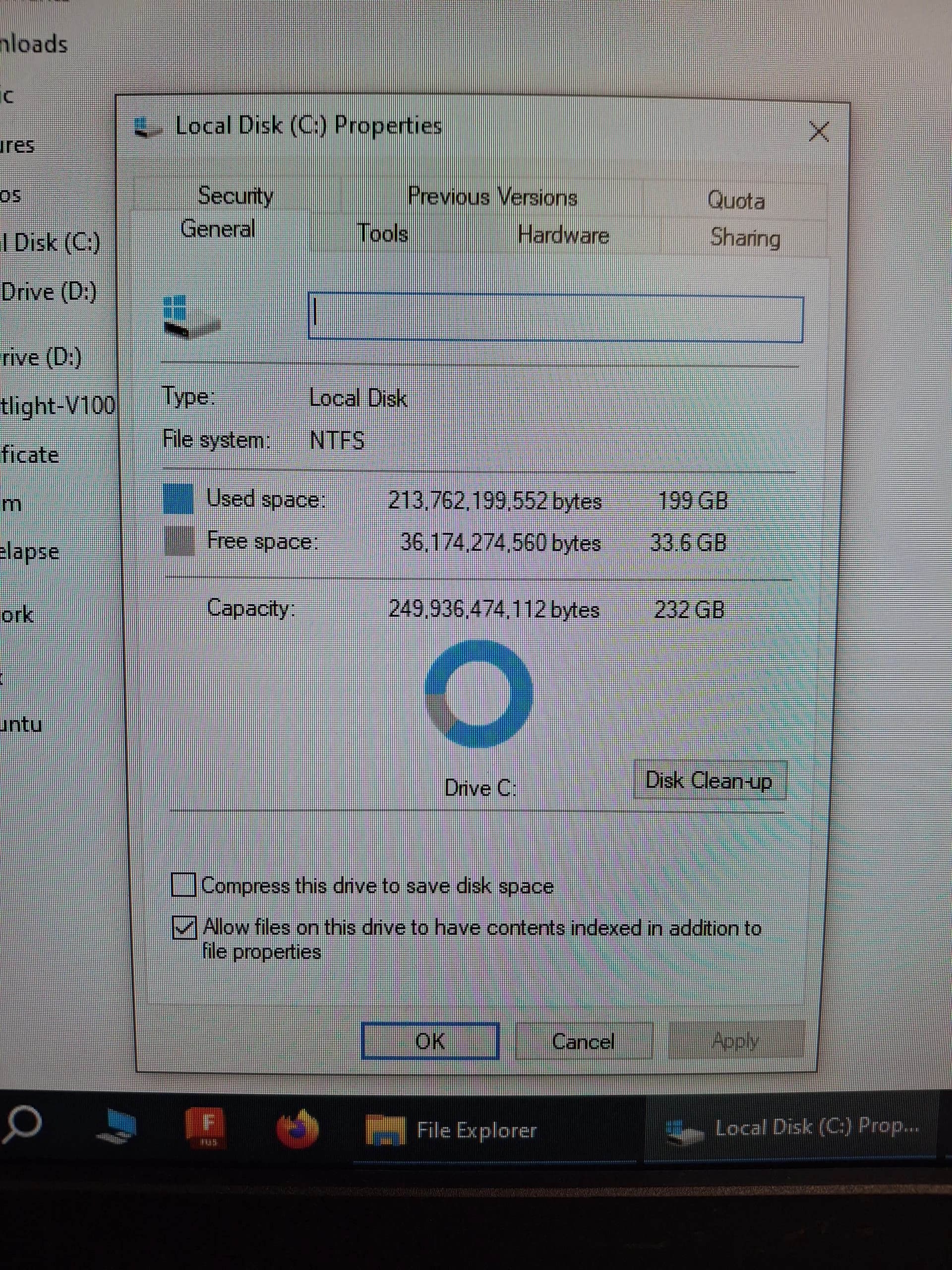
Thanks everyone for the input. It’s a 250gb ssd with 32gb of ram and a amd radeon hd 5800 which is from 2009.. that might be the issue with fusion.
I ran error check and defrag on it, but those had been done recently (probably automatically) and it didnt seem to make much difference.
I ran sfc /scannow as admin and it suggested some files were found corrupt and fixed.
The 30% free diskspace is somewhat out of date, but still a good rule of thumb. Usually this is needed to allow the paging file to be transfered back and forth (this is a essentially a buffer for the ram), and as long as theres as much free space on disk as there is ram, it ahould be good. 32gb ram, 35gb free on ssd. Tight, but I wouldnt expect problems.
I’ve done a visual cleanup and just dumped everything on the desktop into one folder (called old desktop) and everything loose in documents to _old documents, and similar for downloads. Just to avoid someone loosing a precious file they were storing safey is the downloads folder..
Running tree size on the (only) drive, i cam see 47gb taken up by appdata, and 10gb from documents, another 7gb from pictures. I also went through the add and remove software (now call apps and features) and nothing onnhere was installed after 2022, I’m guessing the last time it was cleaned. I got excited when I saw steam and satisfactory, but that turned out to be a red herring, no games installed.
15gb of program files is adobe programs, but they are 2024 and 2025 versions, so useful and necessary.
In summary, I don’t think theres much that could be unistalled, and the space used by our members is actually quite reasonable.
I don’t notice any major improvements from what I’ve done, part of the problem is windows is so bloated now. I would suggest if we could find a minor upgrade for the ssd that would be great, but a new (read 5 year old) graphics card would probably do wonders.
In general, no user files can be precious. Thats the case even for the file share. It’s useful for incidental file transfer. The space is not responsible for your file storage.
Feel free to remove any large files from Docs. Not sure why we need pictures at all.
Anyone want to throw a label reminder on the monitor? I’m not in today.
I was being facetious about the files, but i thought just wiping it without warning might cause some freakouts . It’s a good idea to delete old stuff (maybe see if its been accessed in a month?) but I dont think it will solve the problem.
Thanks all for your help on this. The PC has become one of my personal most used tools in the space. Ill happily donate to a pledge drive for any parts we need to improve its worksflow.
@UnicornStrike do you know what the motherboard is? I just upgraded my graphics card & happy to donate the old (perfectly functional) one of its compatible. It’s from about 2016 so we’re at least moving in the right direction haha
@Sean, I didn’t check, but it’s in an old mac pro case, so that might just be what it is now I think about it
Anyway, as long as it’s a single slot pci-e that should work great, it would be really apprecited, thanks!
Finally got round to installing this, unfortunately the PC doesn’t seem to be compatible with the graphics card - wasn’t getting anything on the screen at all with the GPU installed so I’ve put the old one back in and it’s working again
Still happy to donate it to the space if anyone has a newer motherboard lying around - may well need an entire new PC at that point though - I can also chuck in a decent power supply and about 16gb of ram I’ve got lying around if we want to frankenstein something together?

 . It’s a good idea to delete old stuff (maybe see if its been accessed in a month?) but I dont think it will solve the problem.