I’m trying to connect an arduino nano to a Raspberry Pi 4 to program the nano.
No matter what I try I get the following error when uploading code from Arduino IDE on the pi to the nano.
Using Arduino IDE 1.8.19 ver
avrdude error: unable to open programmer arduino on port /dev/tty/ACM0
The pi can see the arduino, it’s on the right port.
I appreciate it’s not much to go on, but has anyone else gone up against this brick wall and found a fix? Or can point me in the direction of a helpful video?
Thanks both, tried both of these no luck unfortunately.
The board is an Arduino Nano Every with ATmega4809 processor, has anyone any experience with these and finding problems like that?
Getting the same error message using a windows or a linux environment on 2 separate arduinos, ive installed the CH340 drivers as well
@Brendon_Hatcher has this been something you’ve ever come across?
Or anyone else into microcontrollers?
From the sparse information you provided, I can only make a wild guess: Wrong board chosen.
Have you double checked you have selected Arduino Nano Every? Using Arduino Nano will not work with the Every.
If Arduino IDE <2.0, Boards using ARM components (like the Every) need to be installed manually… if I remember correctly, the Every is part of the megaAVR package ?? Yes, you are right the uC used on the Every is an ATMega, though there are ARM components used on that board.
This is not necessary for the Every. It uses another Cortex M0+ for USB/UART.
Hello,
Apologies for the sparse info,
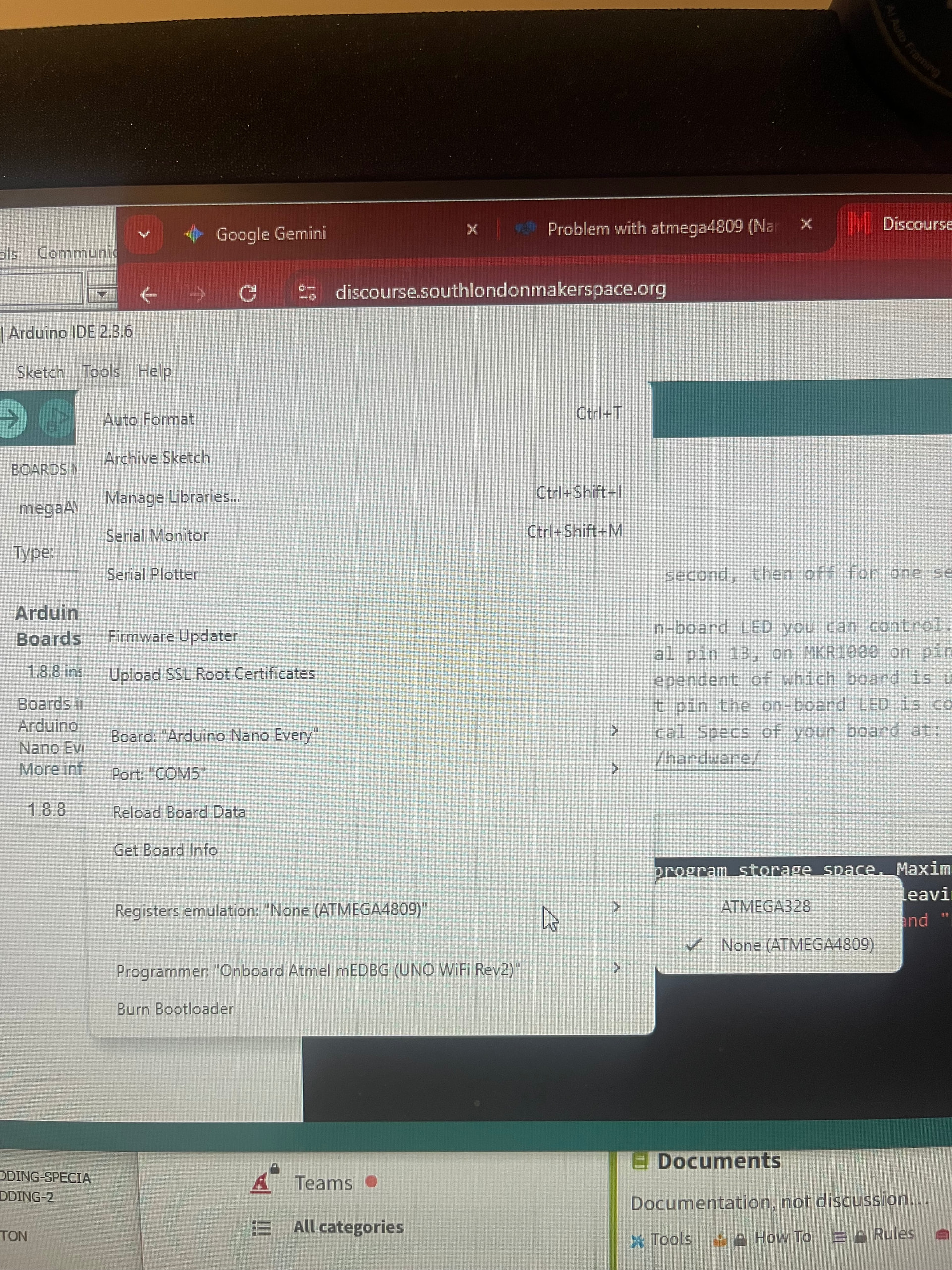
These are my settings, I’m getting the new following error on windows after trying to set the processor to the 4809
As I’m sure you’re probably aware I’m very new to the world of micro controllers so any help is welcomed
I have just been clicking upload. I have now tried sketch > upload using programmer and get the following error
avrdude: usbhid_open(): No device found
avrdude: jtag3_open_common(): Did not find any device matching VID 0x03eb and PID list: 0x2145
Failed programming: uploading error: exit status 1
Programmer only has the following option nothing else to choose -
Onboard Atmel mEDBG UNO Wifi Rev 2
Which doesn’t sound right as this isn’t an UNO and doesn’t have wifi.
Is there a library or something i should download to get the programmer to see more options?
I had lots more programmer options when using Arduino nano vs Arduino nano Every, but the code didn’t work then either
This is a misconception. You can - for now - ignore that setting, since you are not using a dedicated programmer - confusing at the beginning, but you’ll understand that soon.
So far, everything is looking fine and there are just tiny obstacles in the way that everybody faces when going lower level.
It could be worth trying the following:
Uninstall the megaAVR board definitions, restart the Arduino IDE, reinstall the megaAVR board package (yes, I know - trust the process)
Thank you for your help.
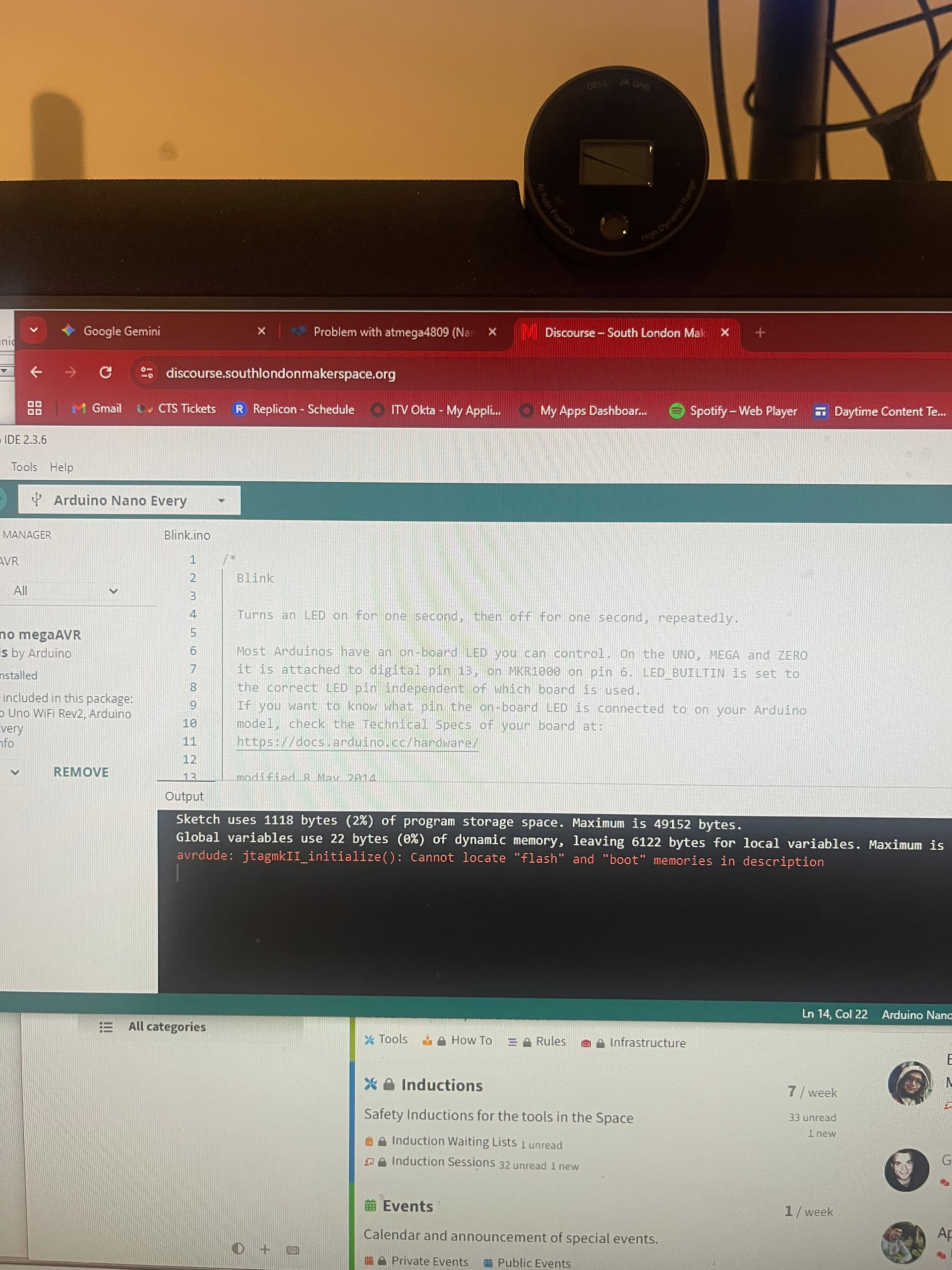
Tried all of that and getting the following error
avrdude: jtagmkII_initialize(): Cannot locate “flash” and “boot” memories in description
You are in fact right here, I read through that doc and the code is actually working. The blink programming is seemingly impossible to determine being different from the general blinking that the nano every does so I couldn’t tell it was working.
I used strandtest on a set of RGB LEDs and the code is running fine!
Thanks very much for your help, as you say early teething problems when dropping down microcontrollers are expected!